

Time for an update on my replacement for the Franklin planner, which I talked about in my post “My E-Sport Calendar” Since I promised updates, it’s time for a project update.
Because I already had the UI handled in the MatchTUI tool, I ended up using that same framework to port over my needs from the old PlanPlus and Franklin Planner for Outlook software—the stuff I used for years (and which I covered in my previous article).
With all that out of the way, let’s talk about some of the issues I’ve been dealing with to get everything up and running.
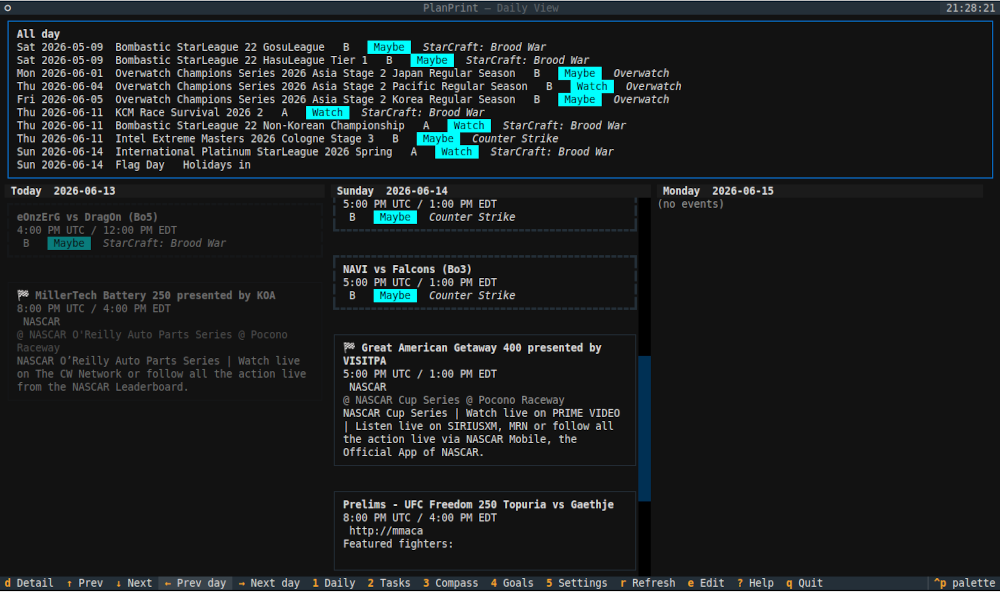 The first issue was getting 12 separate calendars to pull into “PlanPrint,” or Planner as I’ve called it in the terminal.
Before anyone screams, “Why are you only showing E-Sports and Sporting events?” Well, that’s mostly because I have the ability to hide or toggle calendars, so I scrubbed out all the more personal or sensitive ones from these screenshots.
One feature I was really proud of getting working was keeping the printable option. This means when I do my end-of-year bundling, like when I used the Franklin Planner app. I won’t have any major gap between the 2010s and now.
The primary thing I’m looking at integrating next are other key parts of my workspace/life.
One thing I still have to figure out is how to get these ICS files onto my phone or find a way to get alerts on my watch. But for now, the key issues seem sorted out. (I will say there was one major mistake: trying to integrate this tool into VIM. I swear whoever made VIM wanted to kill someone.)
I hate to be that person, but I much prefer Emacs and Nano. I apologize in advance for the inevitable hate I’m going to have to deal with.
But for now, the next step is finding a way to back up those ICS files without them becoming too bloated.
If anyone has any ideas, please comment below
Comments (0)
No comments yet.